
Tower Lab System Requirements
Windows and macOS minimums from Steam. Deck Playable. Linux is not listed as a supported platform.
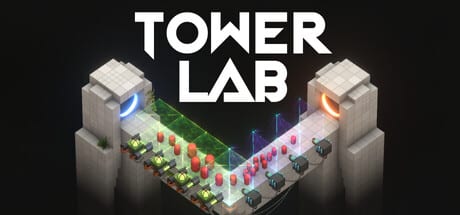
Tower Lab’s install is small. The sim is not. You are about to run a physics lab that can Grow a wave, spin it in Gravity, and grind it at 3X speed. Steam Early Access is scheduled for September 7, 2026 for Windows and macOS. Steam Deck compatibility is Playable. This page copies the store minimums, names the graphics APIs, and refuses to list Linux as a supported platform even if leftover requirement fields exist in a data dump.
Use controls once you know the machine can launch. Use Early Access for the date and content list. Use community links if you need the Steam page itself.
Supported platforms
Official store platforms:
- Steam on Windows
- Steam on macOS
- Steam Deck: Playable
Not listed here as supported: native Linux desktop. A privacy document may mention Steam Deck via Proton. That is not a Linux SKU on the store page, and this wiki will not add one.
The game is single-player with Cloud, achievements, leaderboards, Workshop, Photo Mode, and Family Sharing. None of those features lower the GPU floor. They also do not add an online raid tax. You can Save Anytime according to Steam’s accessibility flags, which is friendly to laptops that need to sleep.
Windows minimum
Steam’s Windows minimum block:
| Item | Minimum |
|---|---|
| OS | Windows 10 64-bit |
| Processor | Intel Core i5-4590 / AMD FX-8350 or equivalent |
| Memory | 8 GB RAM |
| Graphics | NVIDIA GTX 960 / AMD Radeon R9 280 (DirectX 11 compatible, 2 GB VRAM) |
| DirectX | Version 11 |
| Storage | 2 GB available space |
| Notes | 64-bit processor and operating system required |
Recommended specs are not filled in as a separate performance target on the store beyond the 64-bit note. Treat the minimum as “it should launch and simulate modest pads.” Grow stacks, Imploder, Grinder, and 3X speed are how you discover whether equivalent means equivalent. If Simulate stutters, drop to 1X before you rewrite a starter deck.
DirectX 11 is the API line. A DX9-only GPU is the wrong era. 2 GB VRAM is the card floor, not the install size. The disk need is also 2 GB, which is easy to misread. You can have free disk and still fail VRAM.
macOS minimum
Steam’s macOS minimum block:
| Item | Minimum |
|---|---|
| OS | macOS 12.0 Monterey or later |
| Processor | Apple M1 or Intel Core i5 (2018 or newer) |
| Memory | 8 GB RAM |
| Graphics | Apple M1, Intel Iris Plus Graphics 640, or AMD Radeon Pro 555 |
| Graphics API | Metal required |
| Storage | 2 GB available space |
Intel Macs older than 2018 are outside the line even if they can boot Monterey with luck. Iris Plus 640 and Radeon Pro 555 are the Intel-era GPU examples. Apple Silicon starts at M1. Metal is mandatory; this is not an OpenGL courtesy build.
Laptop thermals matter more on Mac than the table admits. A physics tick at 3X with Photo Mode open is a heat test. Close extra displays if the fan becomes the loudest machine in the lab.
Steam Deck Playable
Playable is not Verified. Expect to use Steam Input for mouse placement, right-click (sell / info / tech tree), and HUD buttons rather than a first-party gamepad legend. The controls page lists N, Tab, and F as confirmed keys; map those if you want cooldown and camera reset without the touch overlay.
Deck storage is still 2 GB for the title, which is nothing next to shader caches and Workshop levels. Performance is a per-pad question: empty Puzzle maps are cheap; Endless Overmass with grown robots is not. If the Deck hitch-feeds, cap speed at 1X and disable ornamental camera spins. Camera Comfort exists as a Steam accessibility flag for a reason.
Do not call Deck support a Linux launch. The supported desktop operating systems on this wiki remain Windows and macOS.
Storage, APIs, and what is not listed
Two gigabytes is the install number on both desktop platforms. Cloud saves do not replace that. Workshop levels will add more over time; the roadmap even promises expanded Workshop support after EA, which means the 2 GB floor is a launcher number, not a lifetime ceiling.
APIs:
- Windows: DirectX 11
- macOS: Metal
No Vulkan row. No DX12 row. No native Linux row.
Accessibility and quality-of-life flags that are not spec but affect whether you try: Mouse Only Option, Playable without Timed Input, Save Anytime, Camera Comfort, Custom Volume Controls. They live with the controls write-up because they describe how you operate the lab, not which GPU you bought.
How to read these numbers before Sep 7, 2026
Wishlist if you meet the table. If you are under 8 GB RAM or on a pre-960 / non-Metal GPU, wait for actual EA benchmarks instead of hoping. A 2 GB download will not magically simulate twenty towers interacting.
After Early Access unlocks, re-check this page only when Steam edits the requirement blocks. Until then, the useful extras are in Early Access (what the build contains) and community links (where to report a crash). Play Tug Studio’s privacy policy notes crash reporting and hardware telemetry with an in-game opt-out for gameplay telemetry; that is a policy fact, not a spec reduction.
If your machine clears Windows or macOS minimums, stop optimizing the spreadsheet and go learn N, Tab, F, and right-click. System requirements get you into the lab. Knocking robots off the pad is still a physics problem.
Frequently Asked Questions
Quick answers for new Tower Lab players.
What are the Windows minimum specs?
Windows 10 64-bit, i5-4590 or FX-8350, 8 GB RAM, GTX 960 or R9 280 with DirectX 11 and 2 GB VRAM, 2 GB disk. The table on this page copies Steam.
What are the macOS minimum specs?
macOS 12 Monterey, Apple M1 or Intel Core i5 from 2018 or newer, 8 GB RAM, M1 / Iris Plus 640 / Radeon Pro 555, Metal, 2 GB disk.
Is Linux supported?
No. This wiki does not list Linux as a supported platform. Steam Deck is listed as Playable. Desktop platforms remain Windows and macOS. See Early Access for store framing.
How big is the install?
Steam lists 2 GB on both Windows and macOS. Workshop content can add more later. Track Workshop expansion on the roadmap.
Will it run on Steam Deck?
Steam marks it Playable, not Verified. Map mouse and right-click in Steam Input using the controls list. Performance depends on pad complexity and sim speed.
Where do I confirm these numbers?
The Steam store page linked from community links. This article is an unofficial copy of the minimum blocks.